
A history in your own voice
Return to entries and transcripts instead of letting a day disappear into a note you never reopen.
Inside Belong
Belong is a voice journal for iPhone. Record what is on your mind, save it, and return to the story you are telling over time.
For iPhone with iOS 26 or later.
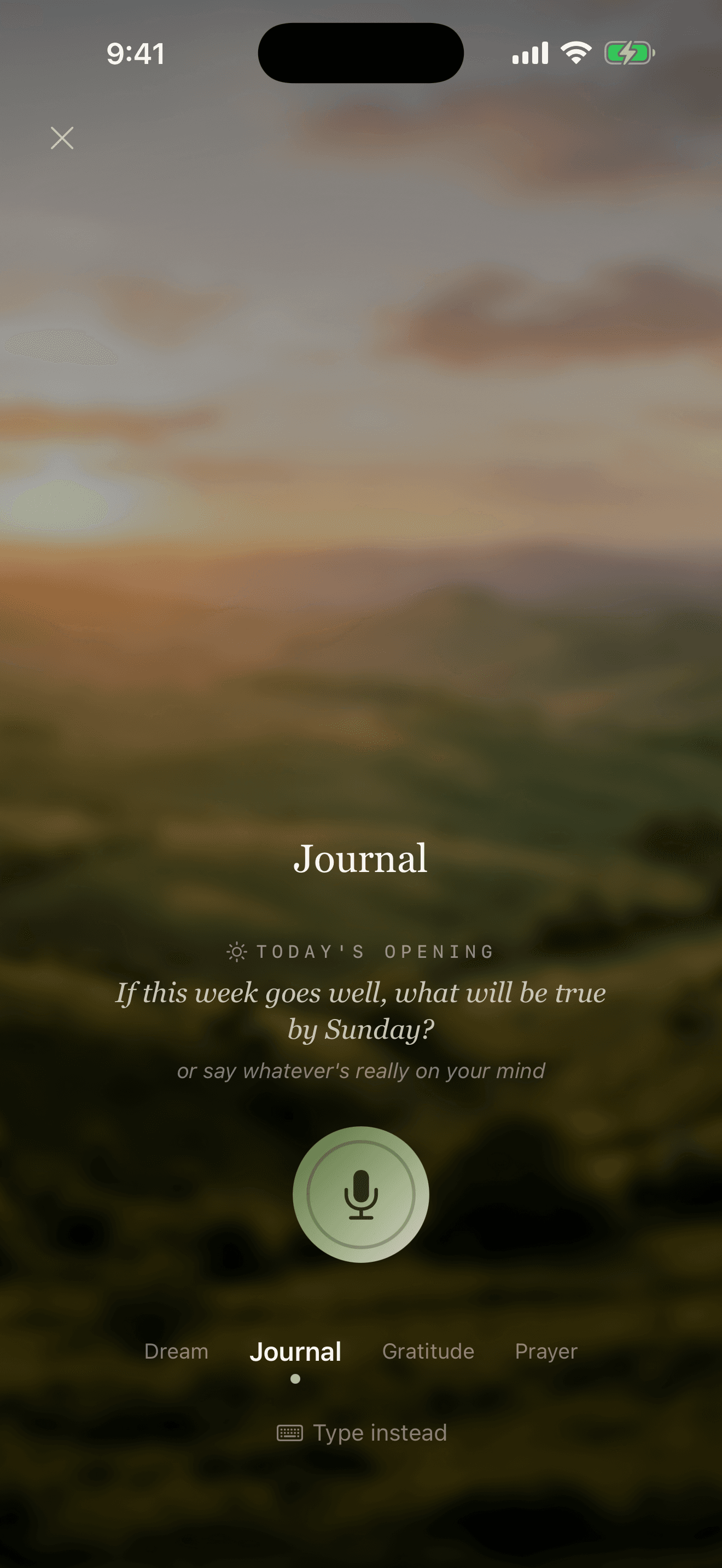
One moment. In your own words.
How it works
There is no perfect first entry. The practice can be as simple as speaking and saving what happened today.
Open Belong on your iPhone and speak naturally. A walk is one place to start; a quiet room works too.
Your entry is saved so you can return to the recording and transcript. You do not have to wait for an AI response to preserve the moment.
If you enable AI processing, reflections and questions about your journal can help you notice themes across what you have shared. Responses and feature access can vary.
Here's how to keep a journal without typing a word. Open Belong, and tap Record.
There's a question waiting, if you'd like one, or just say what's really on your mind. Choose the kind of entry: journal, gratitude, dream, or prayer.
Then tap the mic, and talk. Full sentences are optional. Belong saves your recording and the transcript, before any reflection comes back.
After a day of entries, Belong writes you a reflection on what you shared. Read it, or tap Listen.
That's it. Say it. Keep it. Explore it. This is Belong. A voice journal for life in motion.
As your journal grows
A little distance. A different view.
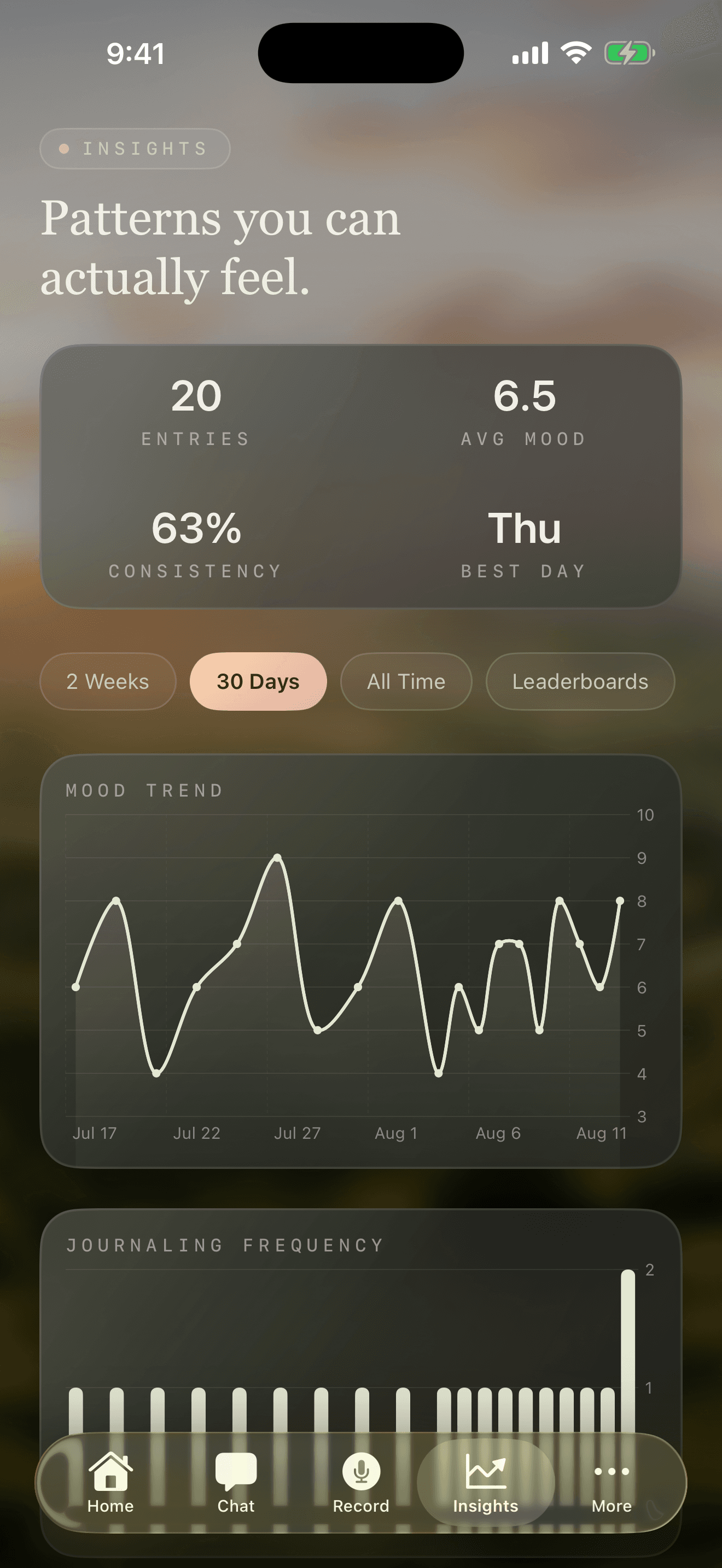
Return to entries and transcripts instead of letting a day disappear into a note you never reopen.
Mood Trend shows changes over time; Mood by Day of Week shows how your averages compare. Charts use your mood ratings when available, or AI estimates. Look back through your journal to explore what was happening around those days.
Review and correct saved memories. You can also export or delete your journal through the app’s controls.
AI features require your consent and may depend on your plan and eligibility. Belong is for personal reflection, not clinical care.
Keep exploring
A question can begin with one moment or reach across your history. When a Chat reply includes sources, you can return to the entries and memories behind the conversation.
Open Chat and type a question about something you’ve shared. You can ask about a particular day, a recurring thought, or something you want to understand.
If the reply shows Sources, tap it to see the journal entries and saved memories retrieved for that response.
Open a listed entry to read it in context. Bring what you notice back to Chat with a follow-up question, or leave it there for now.
Sources show context retrieved for a reply. They don’t guarantee every sentence is correct or that every listed source was used.
Learn about AI processing, export, deletion, and the services that help Belong work.
How we protect your journal